Documentation

Commands

Every command, previewed and documented

Admin

/add

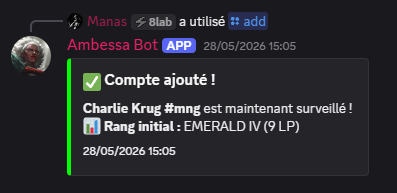
Add a League of Legends account to the monitoring list. The bot will automatically track every Solo Queue ranked game for this player and post notifications in the configured channel.

Usage
/add RiotID#TAG
RiotID#TAG The player's Riot ID — e.g. Faker#KR1
🔑 Admin only EUW Solo/Duo
Discord — #lol-tracking
/add command preview
Admin

/remove

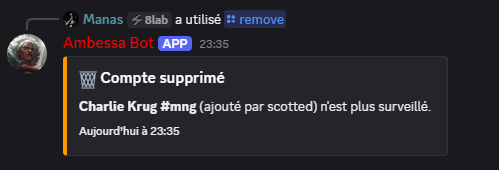
Remove a tracked account from the monitoring list using its leaderboard position number. All associated match history is permanently deleted from the database.

Usage
/remove [rank]
rank Position in the /list leaderboard
🔑 Admin only Deletes data
Discord — #lol-tracking
/remove command preview
Everyone

/list

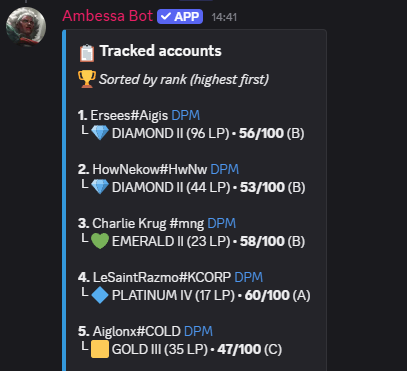
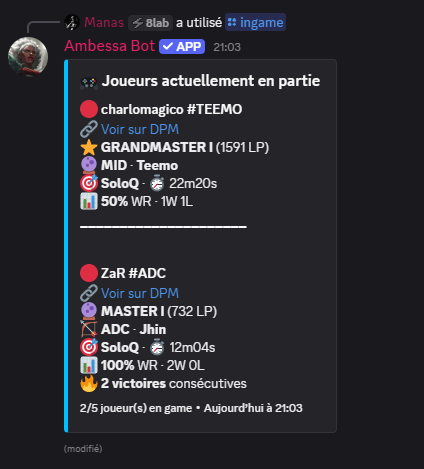
Display all monitored accounts on this server, sorted by rank from highest to lowest. Each entry includes current tier, LP, win/loss record and a direct link to the player's DPM profile.

Usage
/list
👥 Everyone Leaderboard
Discord — #lol-tracking
/list command preview
Everyone

/stats

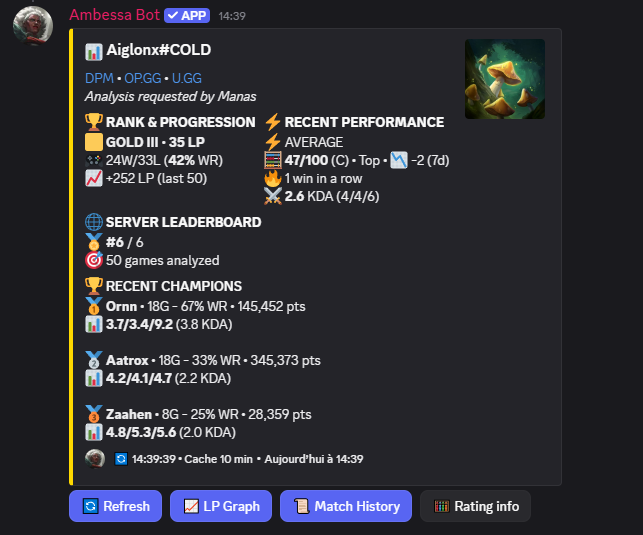
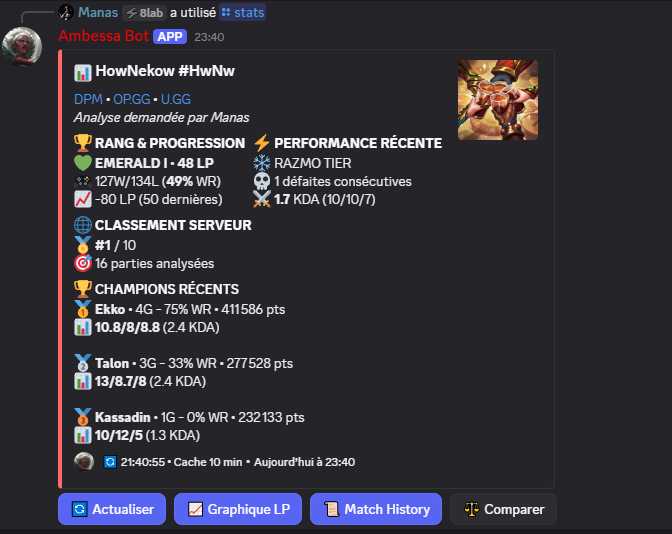
Show a detailed stats card for any tracked player — current rank, LP, global winrate, KDA average, top 3 champion pool, current win/loss streak and their position in the server leaderboard.

Usage
/stats [rank]
rank Leaderboard position — defaults to your linked account
👥 Everyone Stats 10min cache
Discord — #lol-tracking
/stats command preview
Everyone

/link

Link your Discord account to a tracked Riot account. Once linked, you can use /stats without specifying a rank number — the bot will automatically use your account.

Usage
/link [rank]
👥 Everyone Account linking
Discord — #lol-tracking
/link command preview
Admin

/clear

Delete a specified number of messages from the current channel. Automatically handles both recent messages (bulk delete) and older messages (individual delete) with Discord's API limits.

Usage
/clear [n]
n Number of messages to delete
🔑 Manage Messages
Discord — #lol-tracking
/clear command preview
Interactive

Post-game Buttons

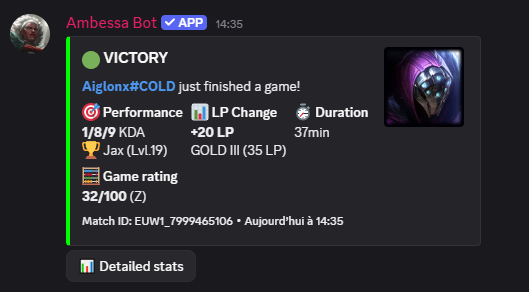
After each game notification, three interactive buttons are available directly in the embed.

📊
Detailed Stats

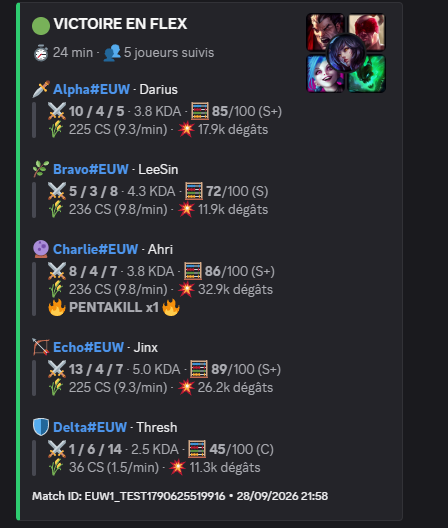
Full match breakdown — damage dealt, vision score, CS/min, gold diff at 15, team comparison.

📈
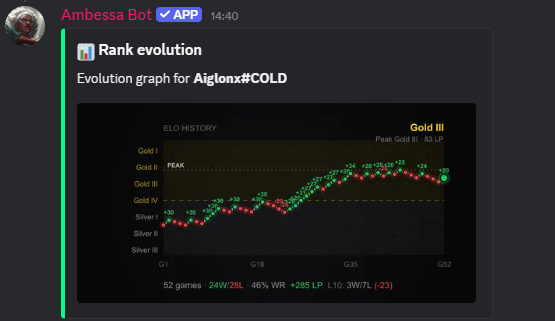
LP Graph

Visual LP curve over the last 200 games with tier bands, win/loss dots and trend line.

📜
Match History

Last N ranked games with champion, KDA, LP change and time elapsed since the game.

Previews

Button Results

Here's what each post-game button returns when clicked in Discord.

Discord — #lol-tracking
Match notification preview
Button

📊 Detailed Stats

Full post-game breakdown triggered by clicking the button under a game notification. Displays damage dealt, vision score, CS/min, gold diff at 15 minutes and a full team comparison.

Trigger
Click → Detailed Stats
👥 Everyone Post-game Match data
Discord — #lol-tracking
Detailed Stats button preview
Button

📈 LP Graph

Generates a visual LP evolution curve from the locally stored match history. No Riot API call required — the graph is built entirely from the bot's own database, making it instant and always available.

Trigger
Click → LP Graph
👥 Everyone Post-game No API call Local data
Discord — #lol-tracking
LP Graph button preview
Button

📜 Match History

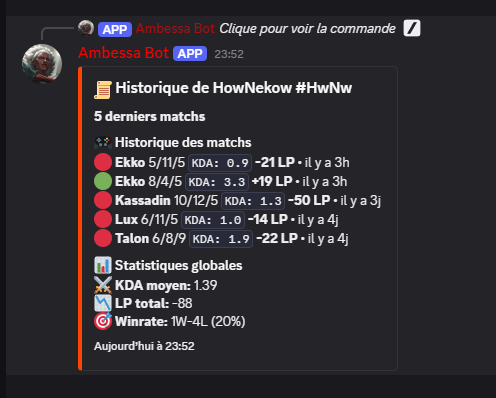
Displays the last ranked games for the tracked player — champion played, KDA, LP change and time elapsed since the game. Built entirely from the bot's local database, no Riot API call required.

Trigger
Click → Match History
👥 Everyone Post-game No API call Local data
Discord — #lol-tracking
Match History button preview